Getting started
How to use TermsWatchdog
TermsWatchdog reads the terms of service and privacy policies of AI tools and tells you, in plain English, what you are agreeing to. This page covers everything in about five minutes.
1. Look up a tool
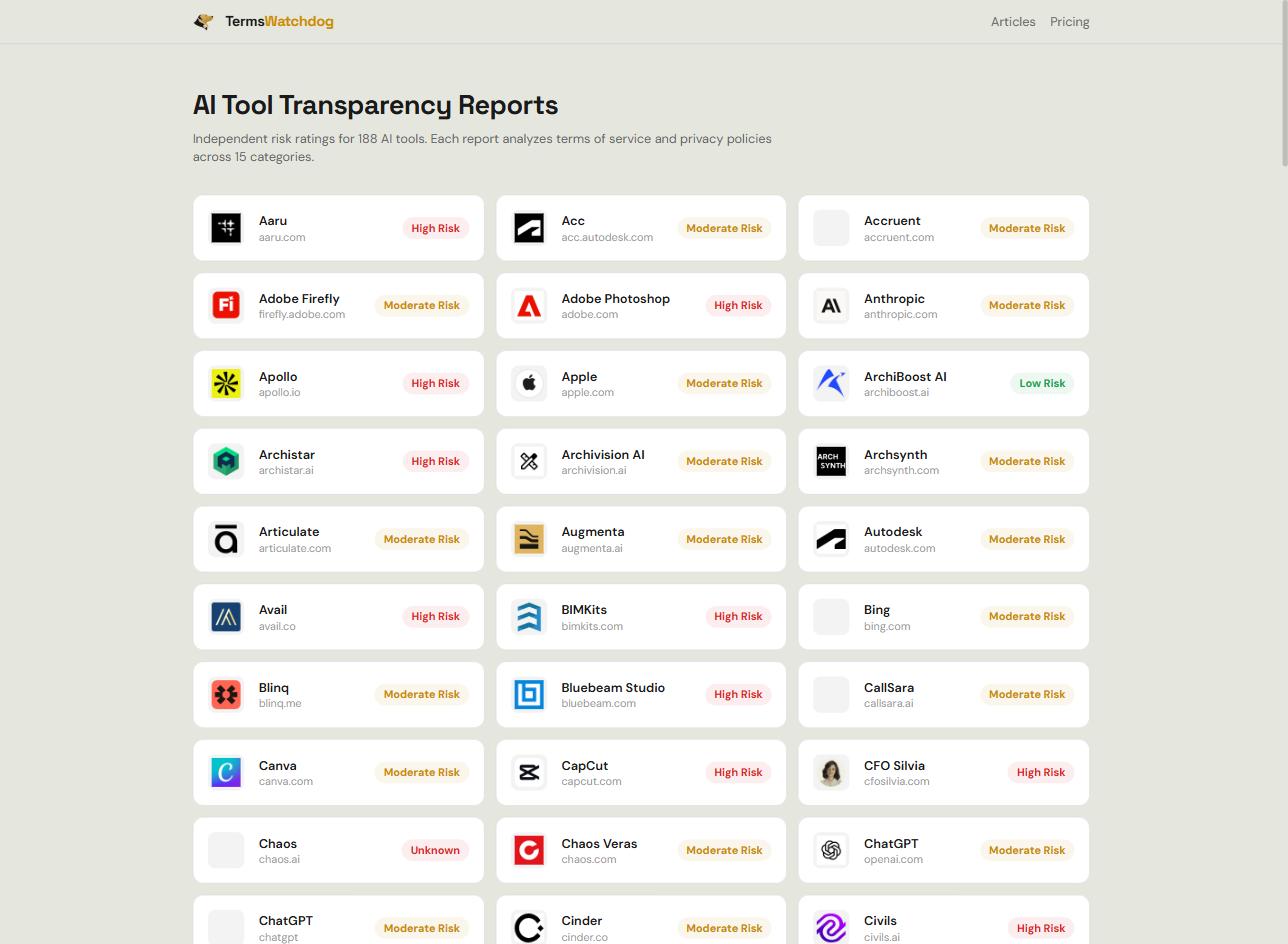
Type a tool name (“Notion AI”) or a website address (“notion.so”) into the search box on the home page. If we have analysed it before you get the report instantly. If not, we fetch the vendor’s legal documents and analyse them, which takes around a minute.
If a name is ambiguous we’ll ask which tool you meant rather than guessing.
2. Read the Transparency Card
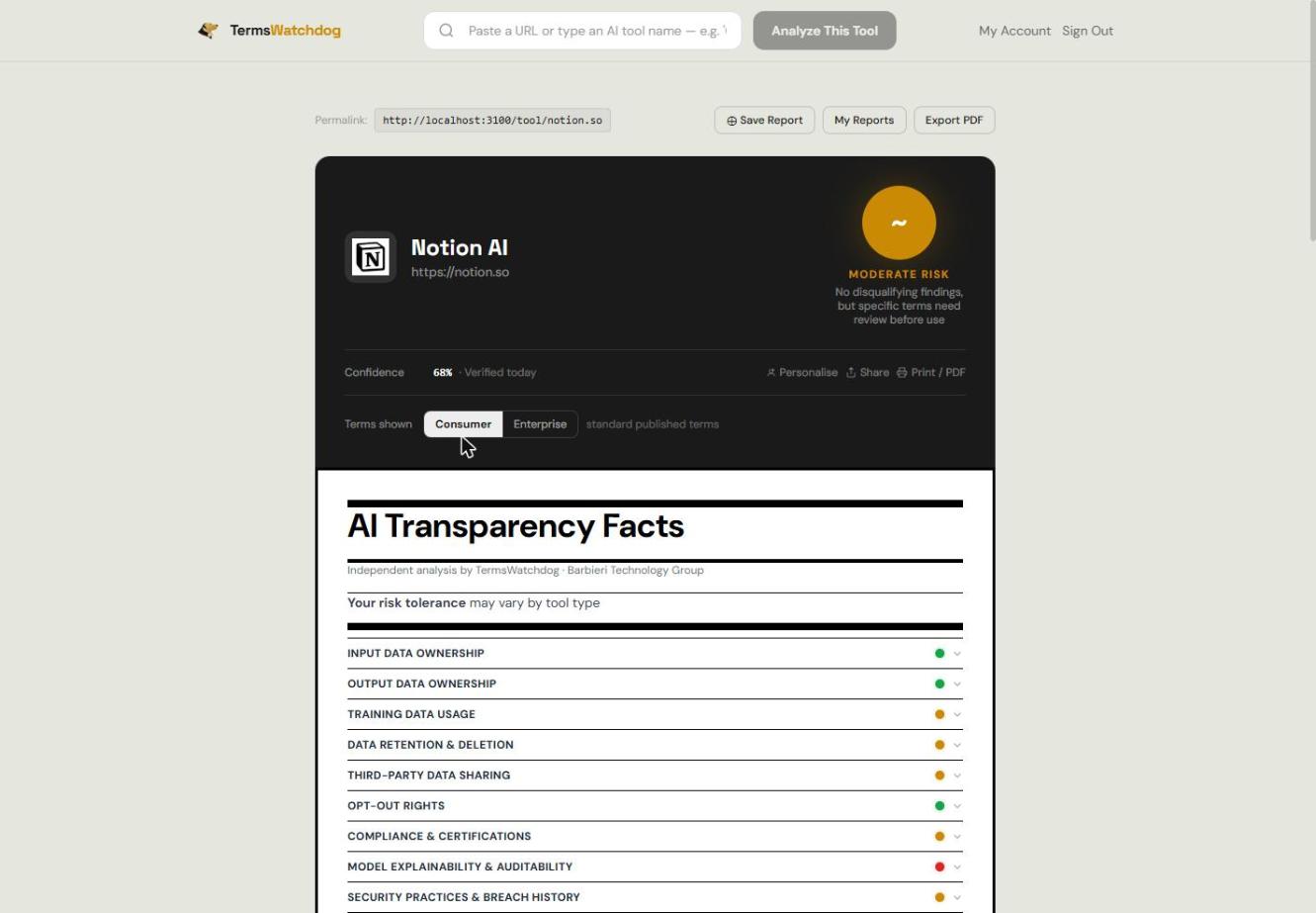
Every report is a Transparency Card, laid out like a nutrition label. The circle at the top is the overall rating, and directly beneath the summary is a line explaining why it is that colour — that sentence is the most useful thing on the page.
- Low risk (green) — no disqualifying findings. Rare, and meant to be.
- Moderate risk (yellow) — nothing disqualifying, but something specific needs your review. The card names it.
- High risk (red) — a disqualifying finding in a critical data-control category.
- Unknown (grey) — we couldn’t find readable policy documents. Not a judgement about the vendor.
A full explanation of the rating rule lives on the methodology page.
3. Open the 15 categories
Click any category to expand it. You get a plain-English summary, a confidence meter, and up to three direct quotes from the policy itself so you can check our reading against the source.
Four of the categories are disqualifiers — a high-risk finding in any one of them makes the whole rating red, because each describes an irreversible loss of control over data you submit:
- Input Data Ownership
- Training Data Usage
- Third-Party Data Sharing
- PII & SPI Data Inventory
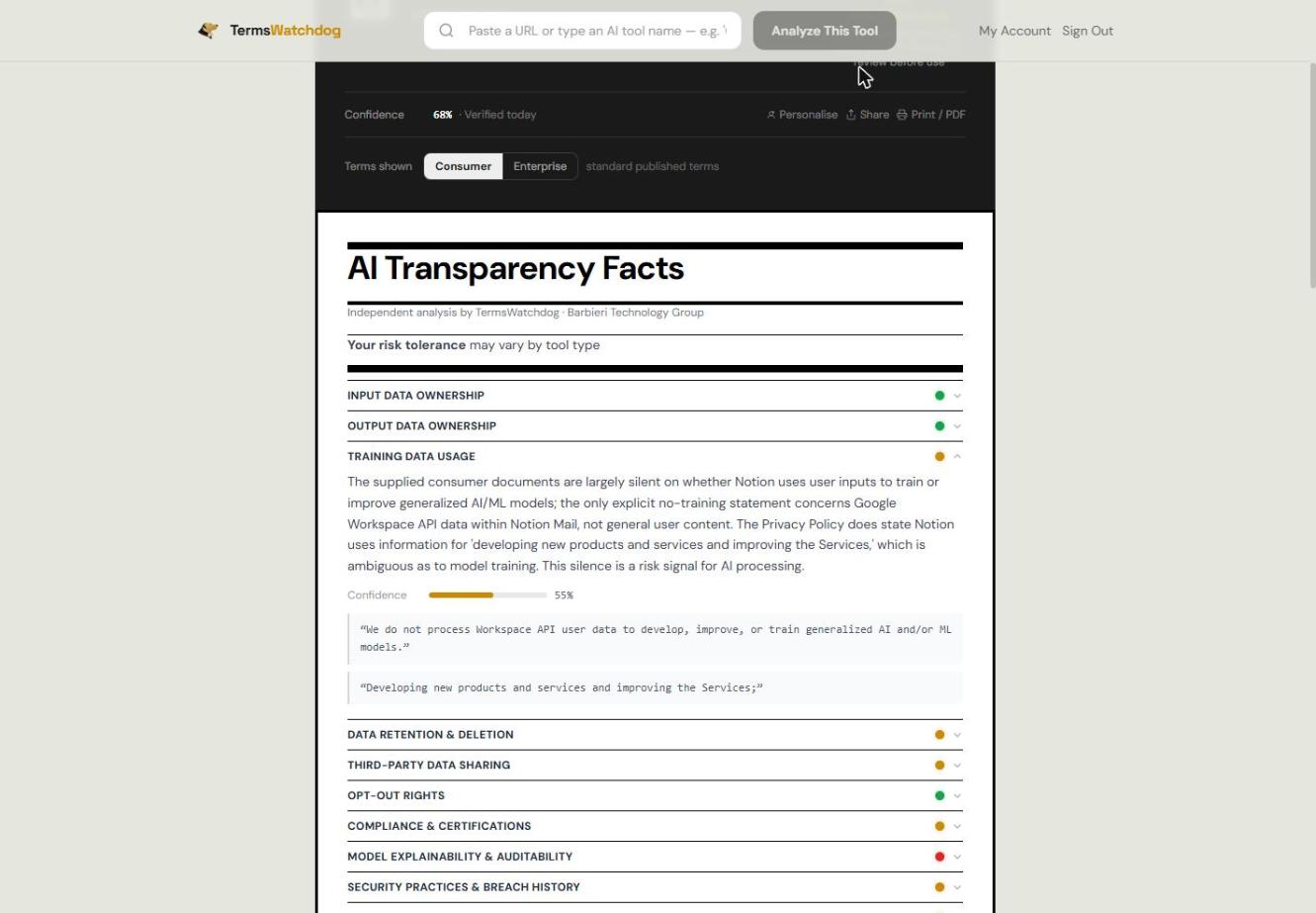
Low confidence on a category is itself a signal: it usually means the policy is vague or silent, which is a finding rather than a gap in our analysis.
4. Switch between consumer and enterprise terms
Most vendors publish only the standard terms an individual agrees to on signup. Where a vendor also publishes the agreements a business signs — a Data Processing Agreement, enterprise terms, a sub-processor list — the card shows a Consumer / Enterprise toggle, and the two ratings can differ substantially. Enterprise agreements frequently carve out model training.
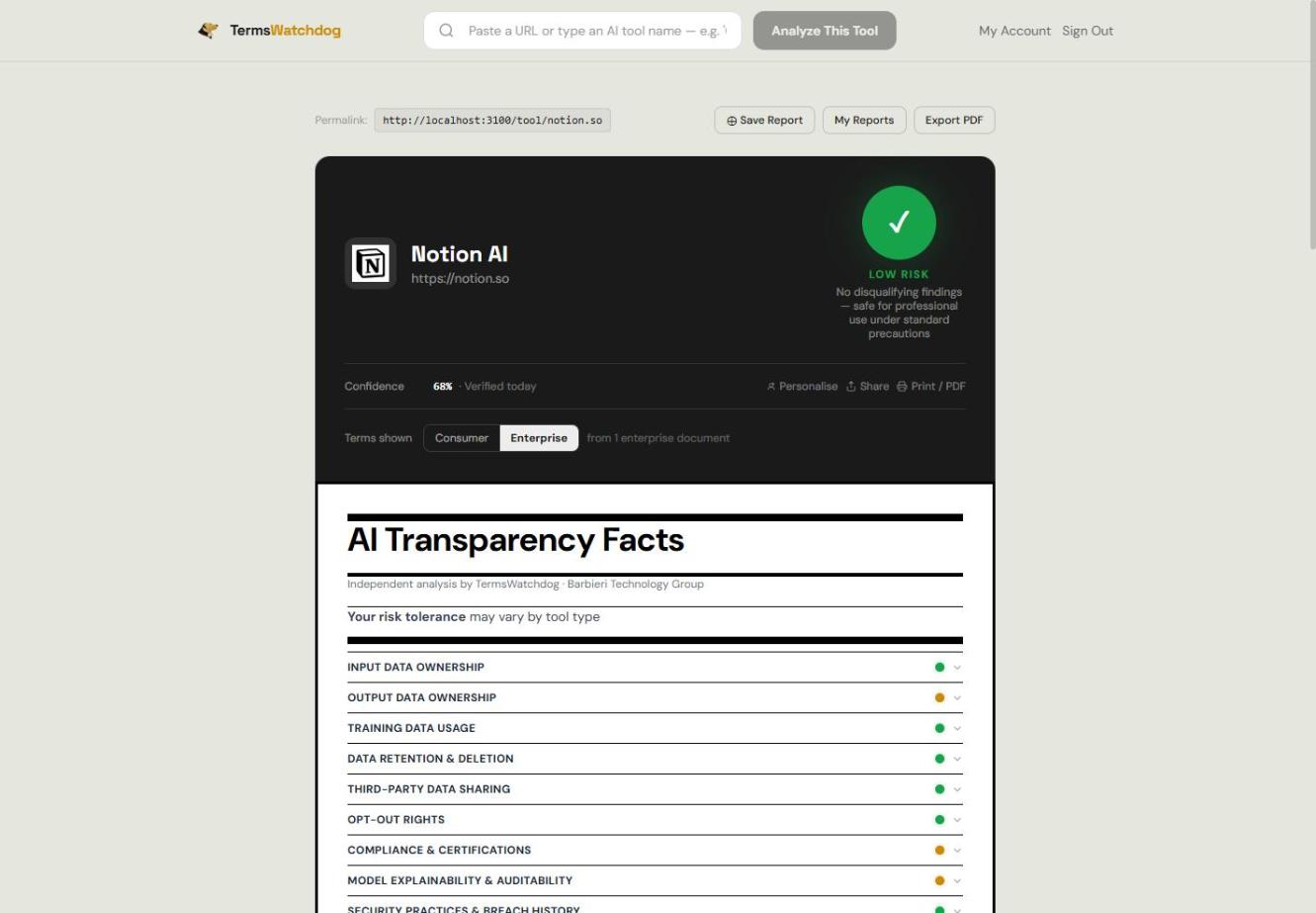
Subscribers land on the enterprise view where it exists; everyone else starts on consumer. Where a vendor publishes nothing, the enterprise tab tells you exactly what to ask them for. We never estimate enterprise terms from consumer ones.
5. Personalise the score to your priorities
Not every category matters equally to every organisation. Click Personalise on any card to pick the categories you care about, and the card shows a score based on just those. There are starter templates for architecture, legal review, marketing, healthcare and procurement.
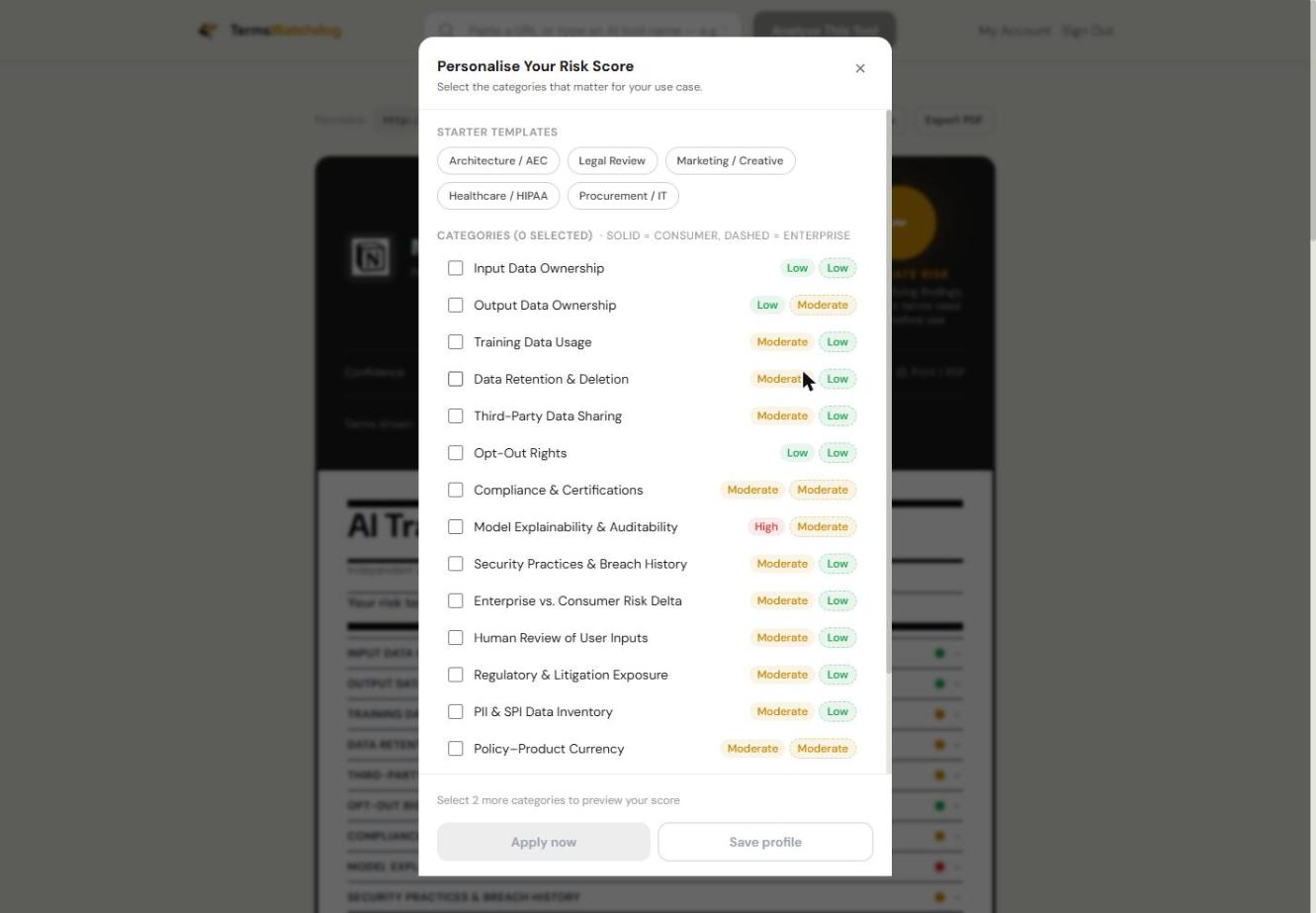
Free accounts keep a profile in the browser. Paid accounts save it to your account so it follows you across devices and applies to every report you open.
6. Compare two tools side by side
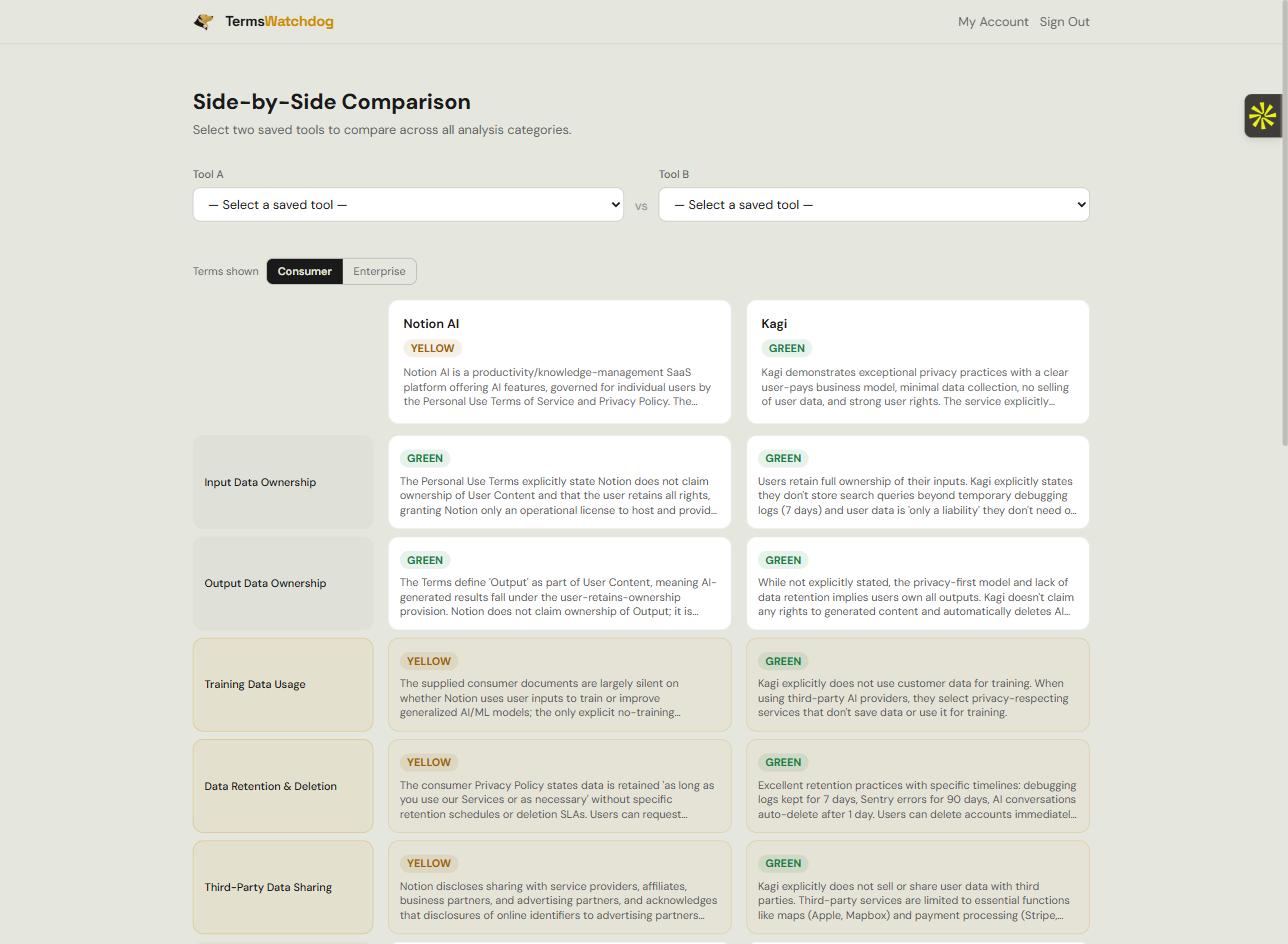
On Compare you can put two tools next to each other and see every category lined up, with differences highlighted. Useful when you are choosing between two vendors rather than assessing one.
7. Watch a tool for changes
Team plans can add tools to a watchlist. We re-check them on a schedule and email you when something moves — naming the categories that changed, not just the overall rating. You can narrow alerts to specific categories so you only hear about what matters to you.
We only alert on real changes. If a vendor’s documents are byte-for-byte identical to last time we skip the re-analysis entirely, so an alert means the vendor edited their terms.
8. Analyse your own documents
Subscribers can upload PDFs — a vendor’s terms, privacy policy or DPA, including ones sent to you privately that we could never reach by crawling. Up to three files per report, combined into a single analysis using the same 15 categories.
Your files are parsed in memory and never written to disk. Only the resulting analysis and the filenames are stored. We cannot retrieve a document once the analysis finishes, which is deliberate.
9. Save, share and export
Every report has a permanent link you can share. Paid accounts can save snapshots under Saved Reports to compare against later, and export a PDF that includes both the consumer and enterprise assessments — built for attaching to a procurement review.
10. What this is not
Our analysis is generated by a large language model reading published documents. It is a research and triage tool, not legal advice, and it should not be the only input to a procurement decision. We can only read what is public: terms behind a login or a sales conversation are invisible to us, and a vendor’s actual practice may differ from its written terms.
Ratings reflect the documents as at the date on the card. If you think we have read something wrong, use the feedback control on the report — we read those.